TL;DR
- 1Password said on November 25 that an attacker who gained access to an employee's corporate GitHub account copied names and email addresses for a subset of customers.
- The company says customer vaults, the items in them, and the keys that protect them weren't affected.
- 1Password says you don't need to change anything in your 1Password account.
- Treat unexpected invitations or account-recovery messages with care. 1Password won't ask for your password or Secret Key.
- Open the official app or type the official address yourself, and keep multifactor authentication turned on.
1Password said on November 25 that an attacker copied customer names and email addresses after gaining access to an employee's corporate GitHub account. The company, which began investigating on November 19, says the attacker used that account to reach source code and then pushed malicious code into backend services that downloaded administrative records for a subset of customers. 1Password also says customer vaults, the items stored in them, and the keys that protect them weren't accessed.
That distinction is what should matter to a business owner. A vendor you already trust can still have a breach, even while the most valuable data stays locked, and the leftover names and email addresses remain useful to someone who wants to send a targeted message. 1Password hasn't said how many customers were in the affected subset, and it has asked customers to be cautious of unexpected emails, texts, or calls that mention 1Password, especially invitations or account recovery requests that you didn't start.
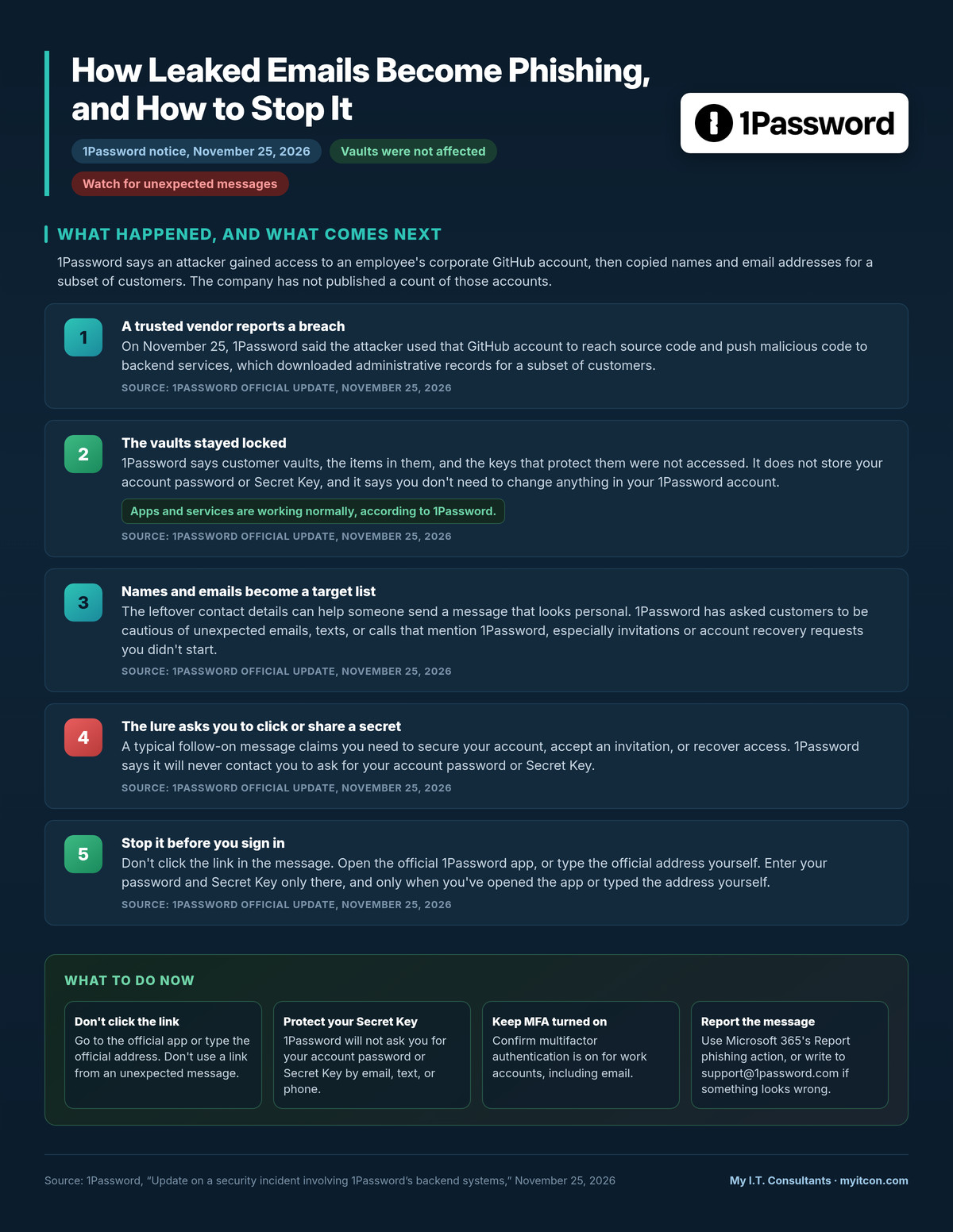
The company also reported that some emailed links for invitations, provisioning, and account recovery contained tokens that were copied. Those tokens can't open an account by themselves, since completing that process still requires a single sign-on step or a code sent to the customer's registered email address. 1Password says a small number of users who were in that state have been specifically notified, and as a precaution it has lengthened those codes from six numeric digits to ten alphanumeric characters. It also says it has found no internal evidence of account takeovers and that its apps and services are working normally.
1Password says you don't need to update anything in your 1Password account, and that guidance is worth holding onto because it's easy for a phishing message to contradict. The company says it will never contact you to ask for your account password or Secret Key, so enter those only in the official 1Password app or on the official website, and only after you've opened the app or typed the address yourself. If a message urges you to "secure your account" because of this news, treat it as suspicious and report it in Microsoft 365 with the Report phishing action, then confirm that multifactor authentication is turned on for your work accounts, including email.
For East Texas businesses, the same habit applies whenever a trusted vendor reports a leak of names and emails. Rather than clicking the link in the message, go to the official app or type the official address yourself, and don't hand over a password, a Secret Key, or a recovery code to anyone who contacts you first. If something looks wrong, 1Password asks customers to write to support@1password.com.
Lindale businesses can ask veteran-owned My I.T. Consultants in Athens for a Free Assessment. Call 903-675-5431. Our office hours for hourly work are Monday through Friday from 7:00 a.m. to 6:00 p.m. Contract customers can reach us 24/7.
Want help with this at your business? See Cybersecurity on our Services page or contact My I.T. Consultants.
Image: My I.T. Consultants (SI-generated illustration), with the 1Password logo identifying the company in the story. No endorsement implied.