TL;DR
- Google released Chrome 158.0.8127.88 and .89 on November 23 to fix CVE-2026-134401, a critical flaw with a 9.6 severity score.
- A crafted web page could potentially run code outside Chrome's sandbox, but Google's release notes don't mention any attacks, and the flaw wasn't on CISA's Known Exploited Vulnerabilities list as of its November 24 update.
- To get the fix, open Menu, Help, About Google Chrome, and click Relaunch. Chrome tells you when it's ready.
- A downloaded update doesn't protect you until Chrome restarts, so confirm the version reads 158.0.8127.88 or higher.
- Offices should check the real version number on each computer instead of trusting the update prompt.
Google shipped a critical security fix for Chrome on Monday, November 23, and the protection becomes complete when you restart the browser. The update brings Windows and Mac to version 158.0.8127.88 or 158.0.8127.89, and it brings Linux to 158.0.8127.88. Google says it's rolling out over the coming days and weeks, so some computers won't have it yet.
The release contains a single security fix, tracked as CVE-2026-134401. Google rates it critical and describes it as improper input validation in Variations, the part of Chrome that downloads feature-testing settings from Google. According to the public CVE record, a crafted web page could potentially run code outside Chrome's sandbox, the barrier that keeps web content away from the rest of your computer. The flaw carries a severity score of 9.6 out of 10.
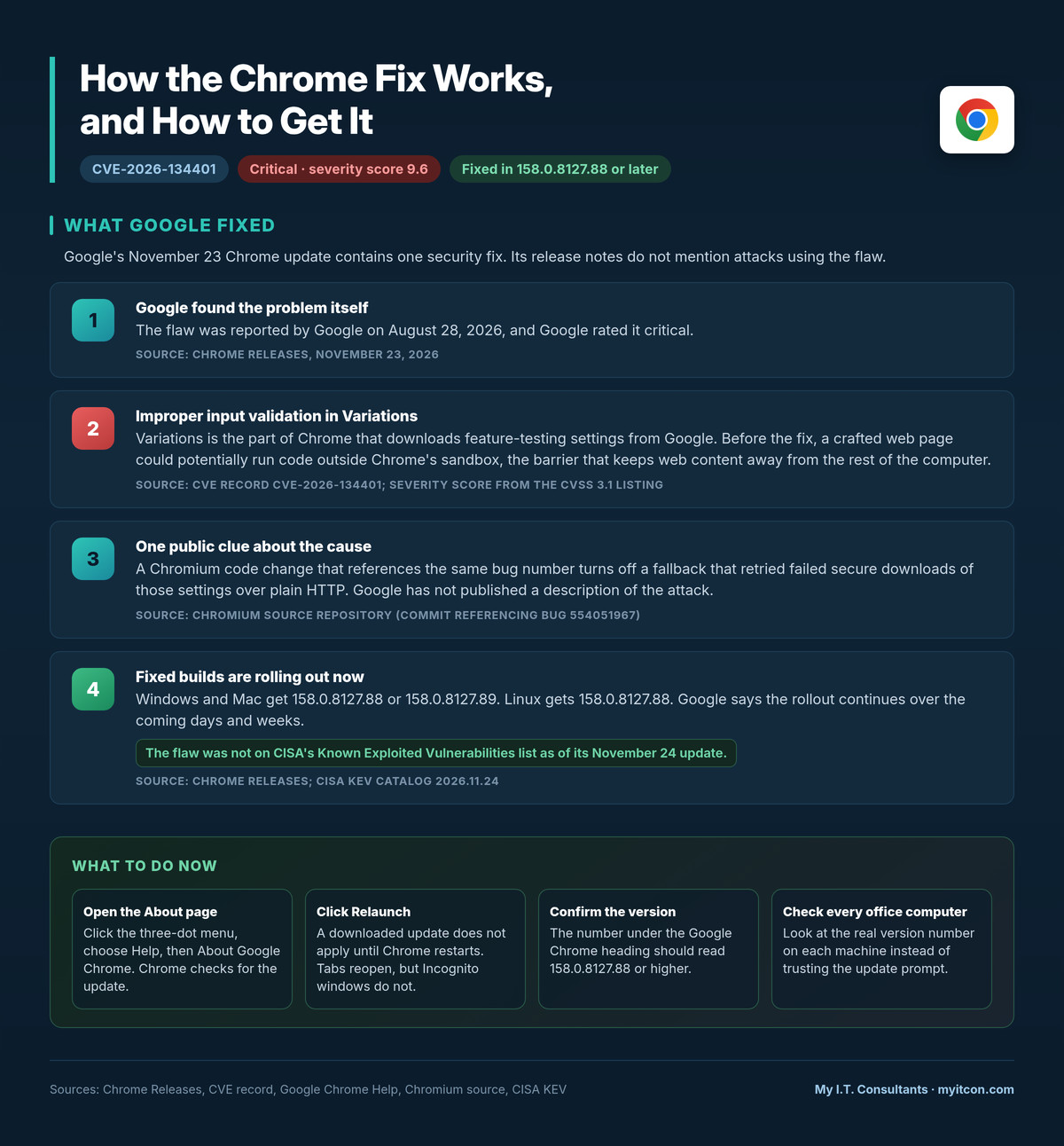
The encouraging part is that Google found the problem itself and reported it internally on August 28. Google's release notes don't mention any attacks, and the flaw isn't on CISA's Known Exploited Vulnerabilities list as of its November 24 update. A public Chromium code change that references the same bug number turns off a fallback that retried failed secure downloads of those settings over plain HTTP. A researcher has also posted a test lab on GitHub for that fallback, although its author says it doesn't demonstrate code execution.
Updating is quick. Open Chrome, click the three-dot menu, choose Help, and then choose About Google Chrome. Chrome checks for the update, and a Relaunch button appears when it's ready. Your tabs reopen after the restart, but Incognito windows won't come back. The version number under the Google Chrome heading should read 158.0.8127.88 or higher. Linux users update through their package manager, and Chromebook users get Chrome through system updates.
The restart is the step people skip. A downloaded update doesn't protect a browser that's still running the old version, and many of us leave Chrome open for weeks. If you choose Not now, Chrome applies the update only the next time it restarts.
For an office, the most reliable check is the real version number on each computer, not the update prompt. A short list of machines still on an older build shows you quickly where the fix hasn't landed yet.
Palestine businesses can ask veteran-owned My I.T. Consultants in Athens for a Free Assessment. Call 903-675-5431. Our office hours for hourly work are Monday through Friday from 7:00 a.m. to 6:00 p.m. Contract customers can reach us 24/7.
Want help with this at your business? See Cybersecurity on our Services page or contact My I.T. Consultants.
Image: My I.T. Consultants (SI-generated illustration), with the Google Chrome icon identifying the product in the story. No endorsement implied.